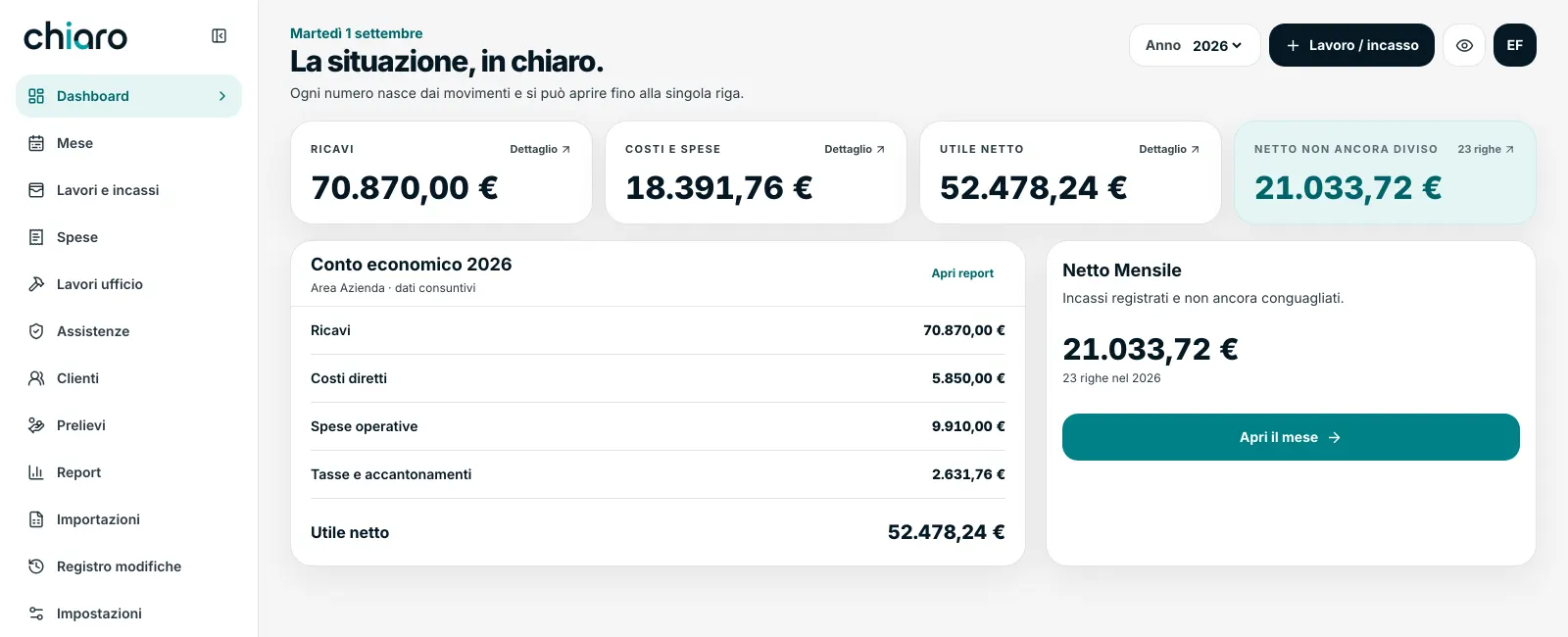
Chiaro is the management software for businesses with more than one owner. It records jobs, payments and expenses, and tells each owner what they're owed and what they've already taken.
There's a spreadsheet called “Calendar 2026”. Only one of you ever opens it. Inside are the jobs, the payments, the expenses, and a column saying whether that month has already been split.
Then comes the real question: how much can I draw this month?
And that's where the trouble starts.
✕Nobody remembers where the total at the bottom of the column comes from.
✕An expense entered late lands in the wrong month, or nowhere at all.
✕One of you paid out of pocket, and only they remember it.
✕A payment came in cash to whoever was on site, and needs settling up.
✕Next year starts from a new file, and the history stays behind.
This isn't an accounting problem. Your accountant does the books, but after the fact and for the company. What you're owed, today, nobody tells you.
the difference
Standard software tells you how the business is doing. Chiaro tells you how you are doing.
Same trade, two different questions. That's why Chiaro exists.
Standard accounting software
Tells you what the business has billed
The month is the calendar month
Totals are saved numbers
Tells you what each owner is owed, today
The month is the stretch between one split and the next
Every total is recalculated from the entries, and opens line by line
the three screens that matter
Three questions, three answers.
“How much can I draw?”
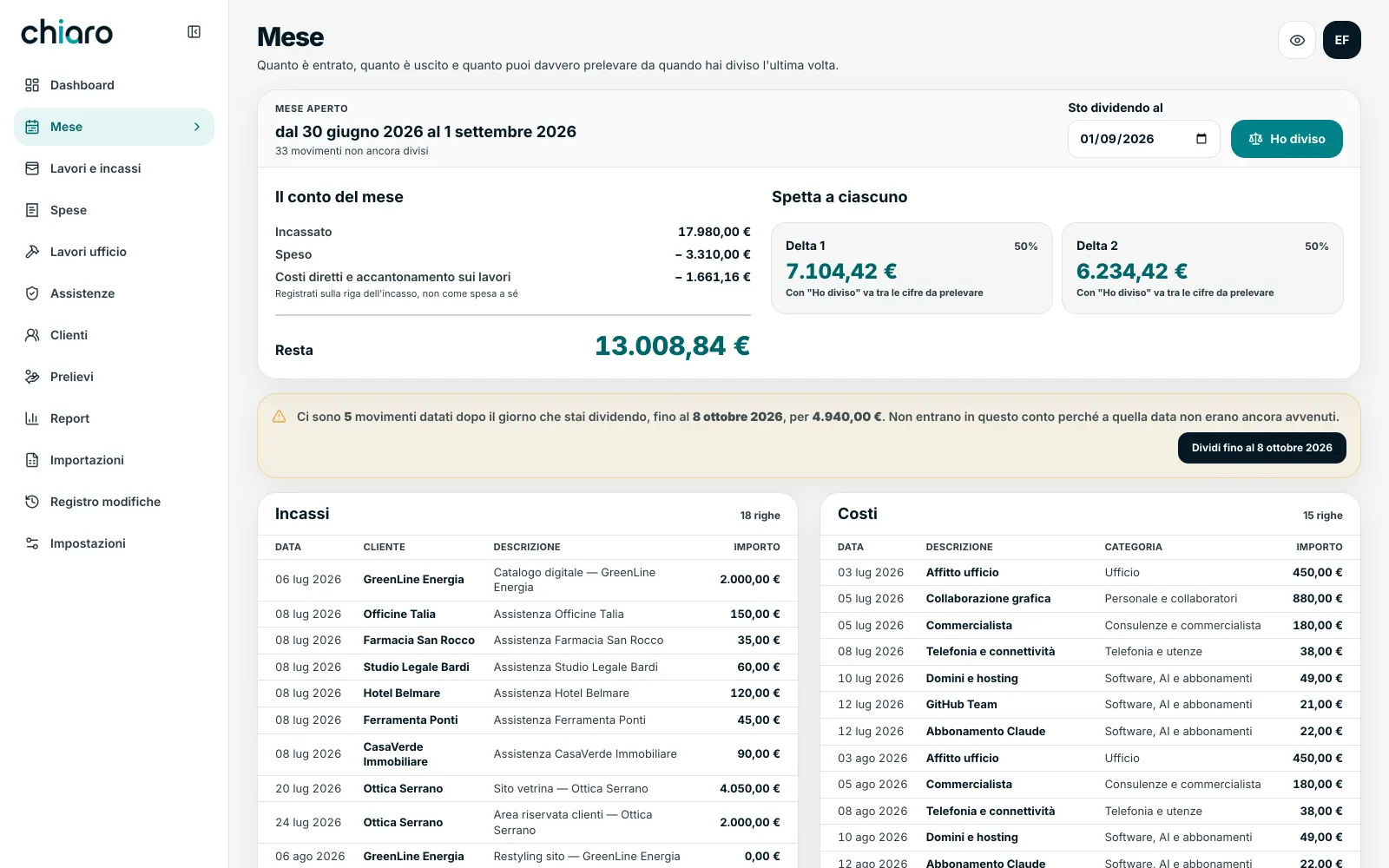
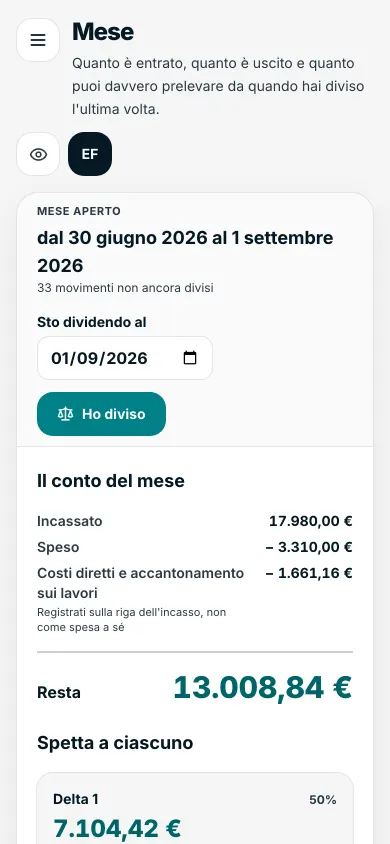
The Month isn't the calendar month: it's the stretch from the last time you split the money until today. A forgotten payment doesn't vanish, it slides into the next round. An expense entered late still lands inside a real period.
At the top you read money in, money out and what's left. Below, what each owner is owed according to their shares. When you press “Split done” those figures move into the balances to be drawn, and the period closes.
Payments dated in the future stay out of the count — and the screen tells you how many there are and why, instead of making them disappear.
Whoever covered an expense or took cash on behalf of the company finds it here, already counted.
If you got it wrong, the last period reopens: the entries are freed and the balances it generated are removed.
“How much have I already taken?”
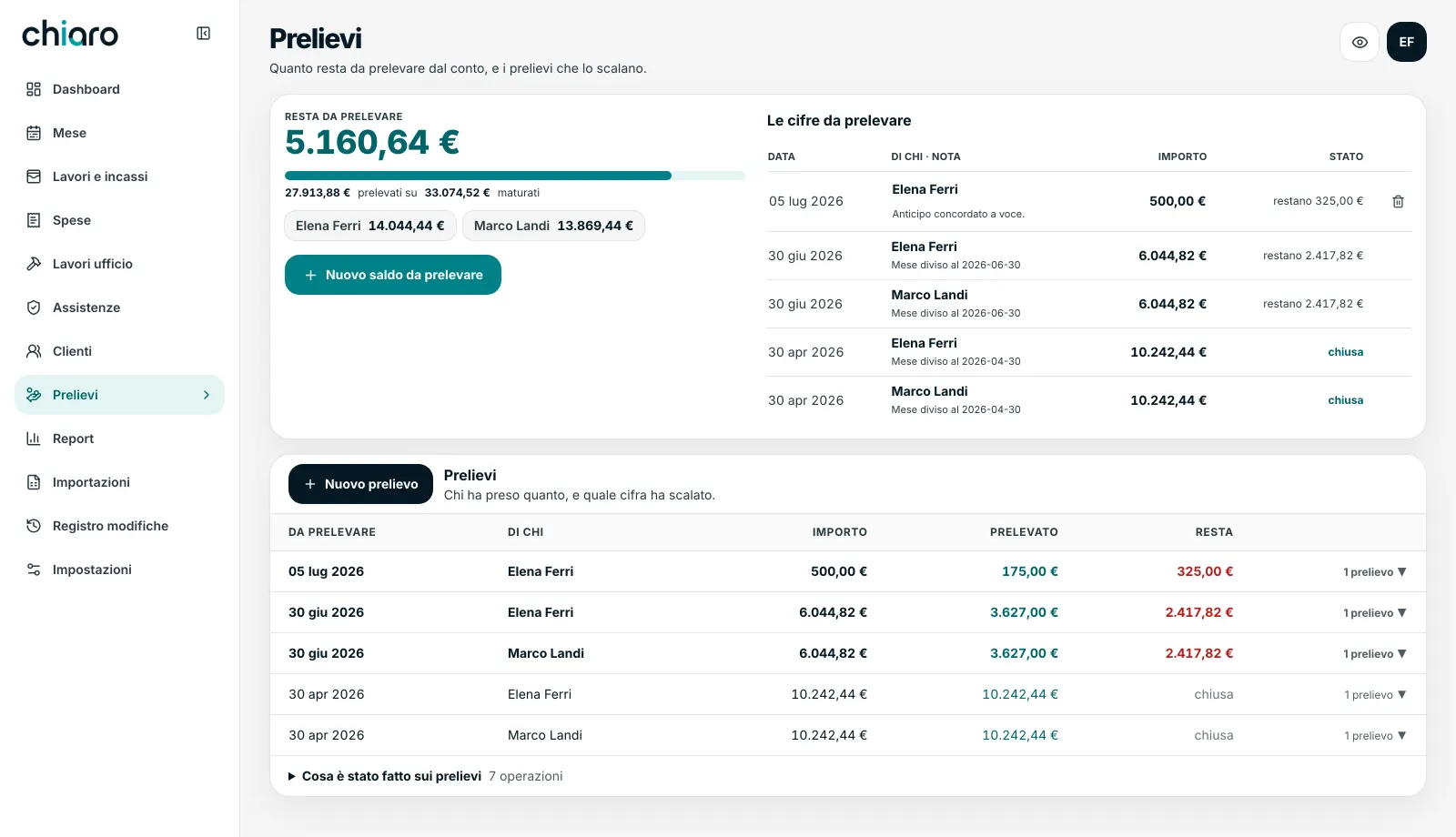
The Withdrawals screen has a single number at the top: what's left to draw. Below, the bar shows how much has gone out against how much has accrued.
Every withdrawal knows which balance it's drawing down. Open a line and you see who took what, and when. A withdrawal entered by mistake can be removed, and it stays on record who removed it.
“Who changed this number?”
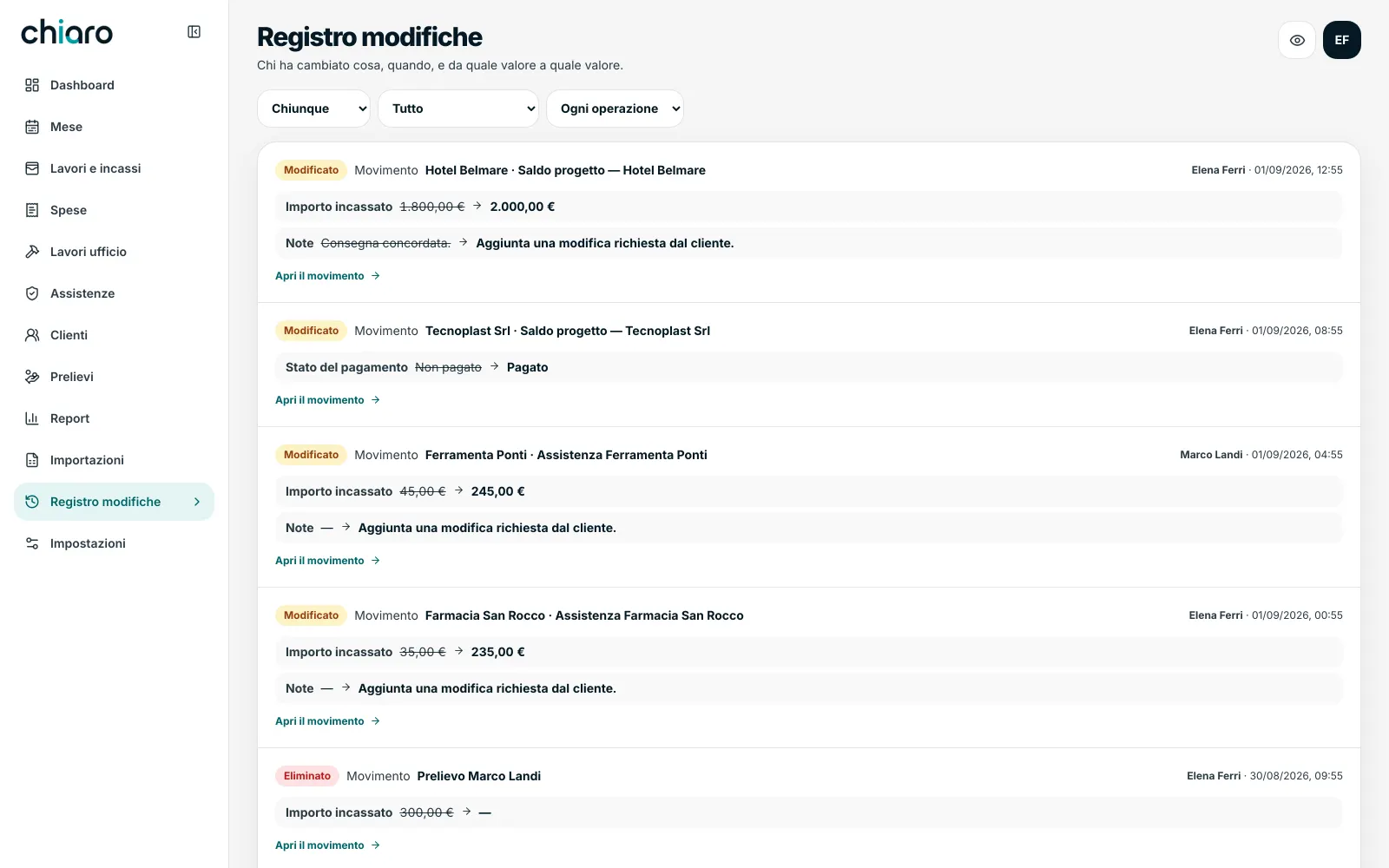
The Change log answers a question that always comes up between partners sooner or later. Every change is a line: who, when, and from which value to which. €1,800.00 → €2,000.00
Nothing really disappears: deletions stay there too, with the name of whoever made them.
If you recognised your own business in these three screens, the rest is detail.
Half an hour, on the numbers of a sample business. We don't need yours.
everything else, area by area
Twelve screens. Not one too many.
Jobs and payments
Recording a job stops being paperwork and becomes a line.
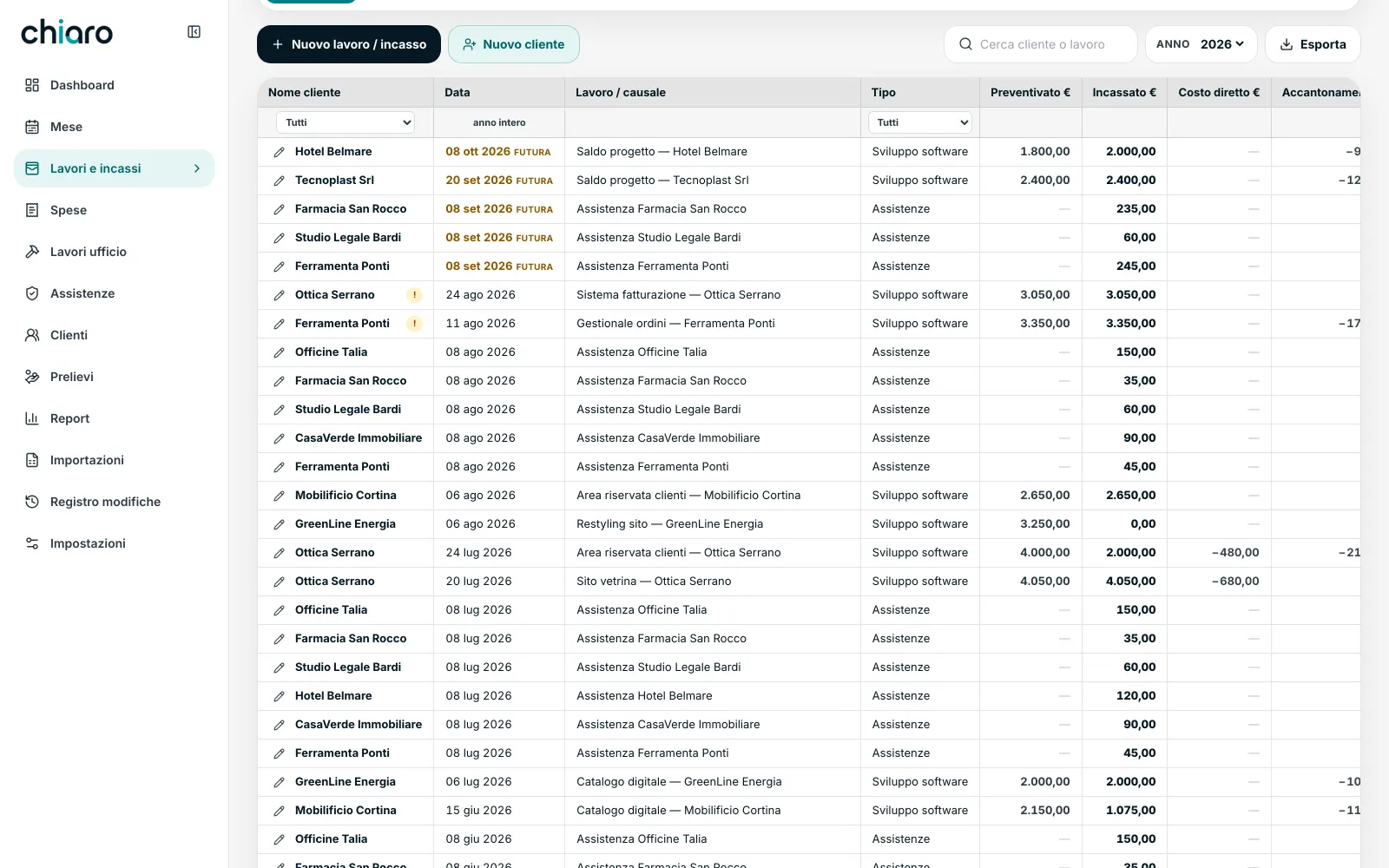
Client, job, quoted, received, direct cost, tax set-aside, who took the money, payment status. All on one line, all editable by clicking the cell: no form to open just to change a figure.
Expenses
Stop forgetting the rent and the accountant, and see the difference between what has gone out and what will.
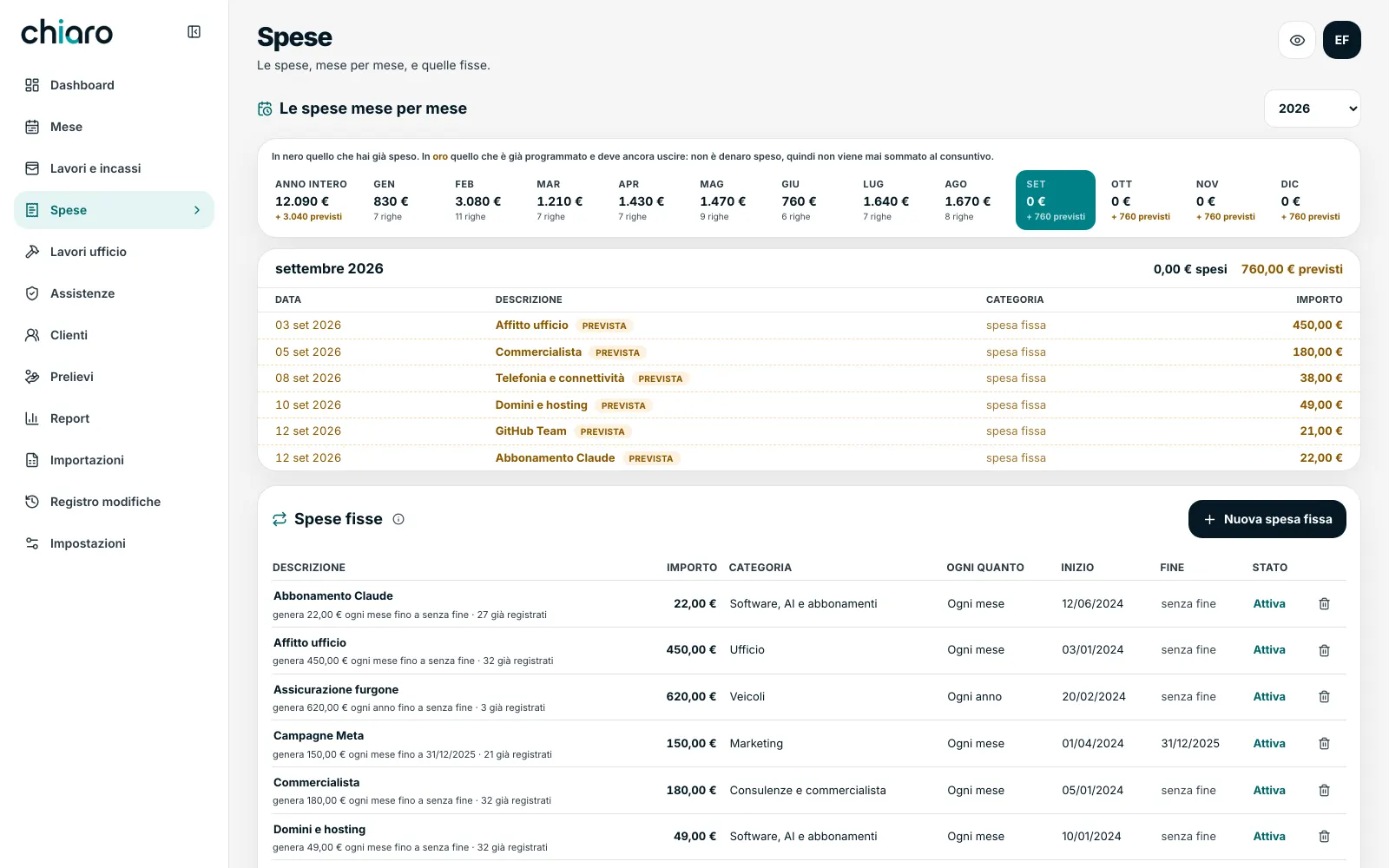
Expenses month by month. In black what has already gone out, in gold what is scheduled and still to come: that's a forecast, and it's never added to the actuals.
Support contracts
Recurring revenue is the money you lose by not paying attention. Here you see at a glance who hasn't paid yet.
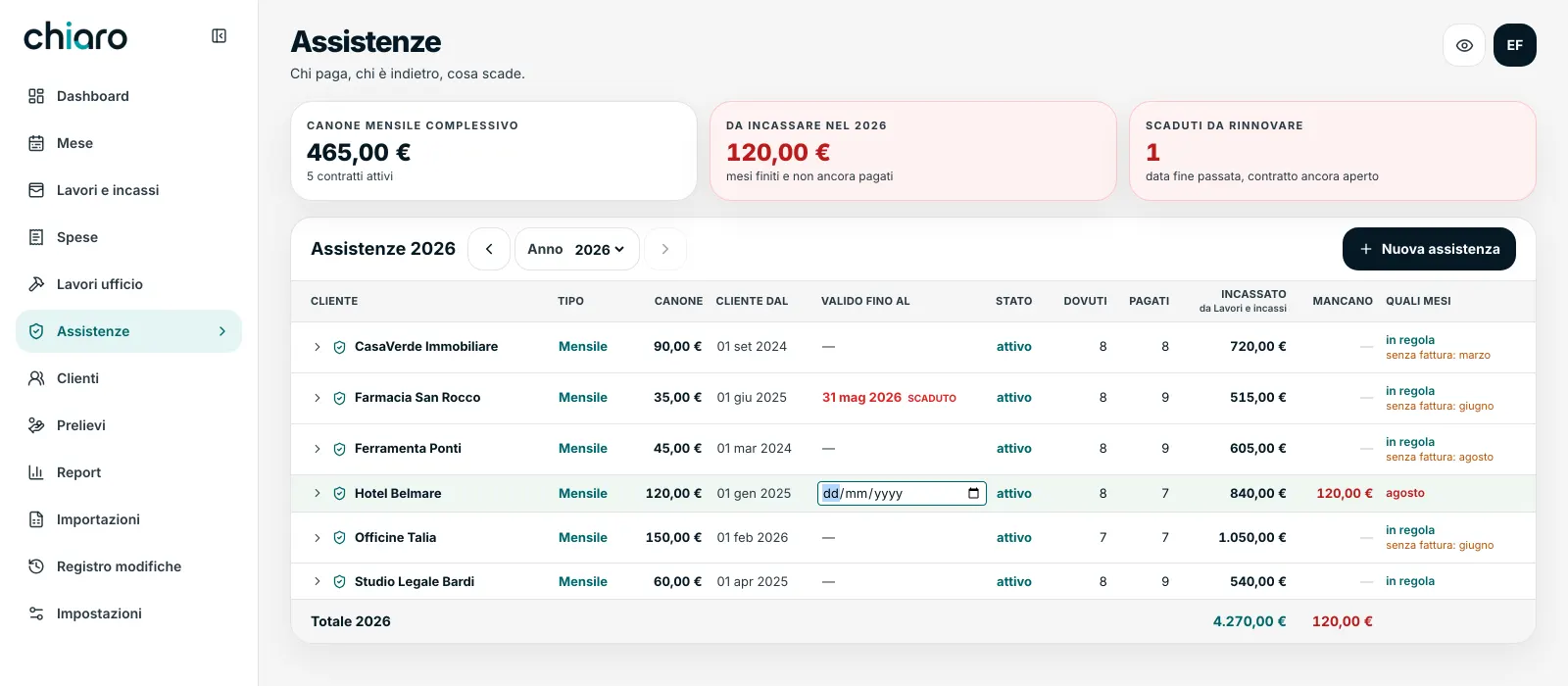
Support contracts with their schedule: who pays, who's behind, what's expiring. At the top, the total monthly fee, how much is still to come in this year, and how many contracts are up for renewal.
Open a contract and you see the twelve months one by one: paid, invoiced, on what date. When you tick a month, the software first looks for whether that payment is already recorded under Jobs and payments and links it. Only if it can't find it does it create a new one. That's why the totals never inflate.
Office costs
Settling up between owners stops being an argument and becomes a number.
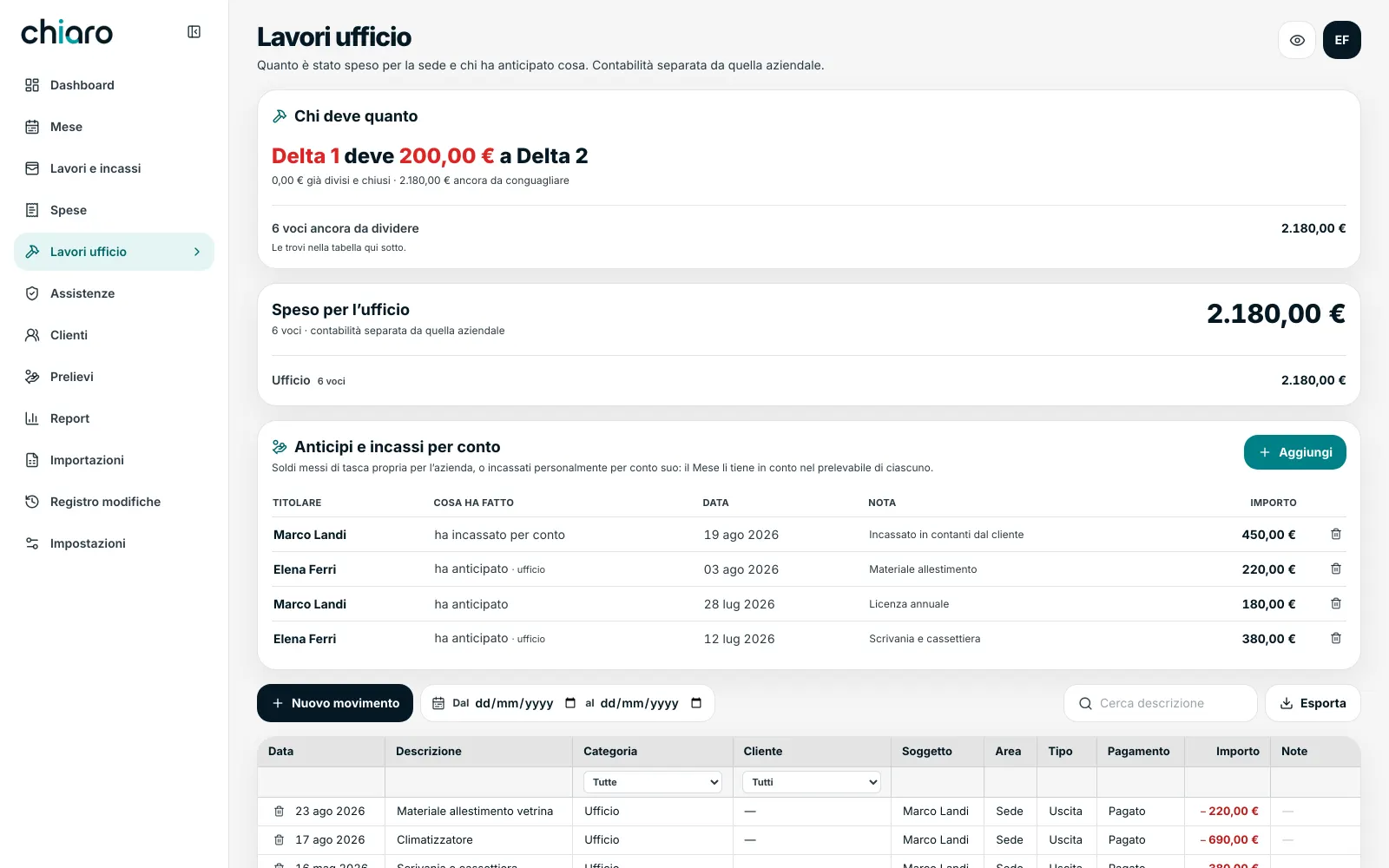
The costs of the premises kept separate from the company's, with a single sentence at the top: “You're even”, or how much one owes the other.
Below, money paid and taken on behalf of the company: out of your own pocket, or collected personally. The Month counts it towards what each owner can draw.
Reports
The questions you ask yourself at year end have an answer without building a new spreadsheet.
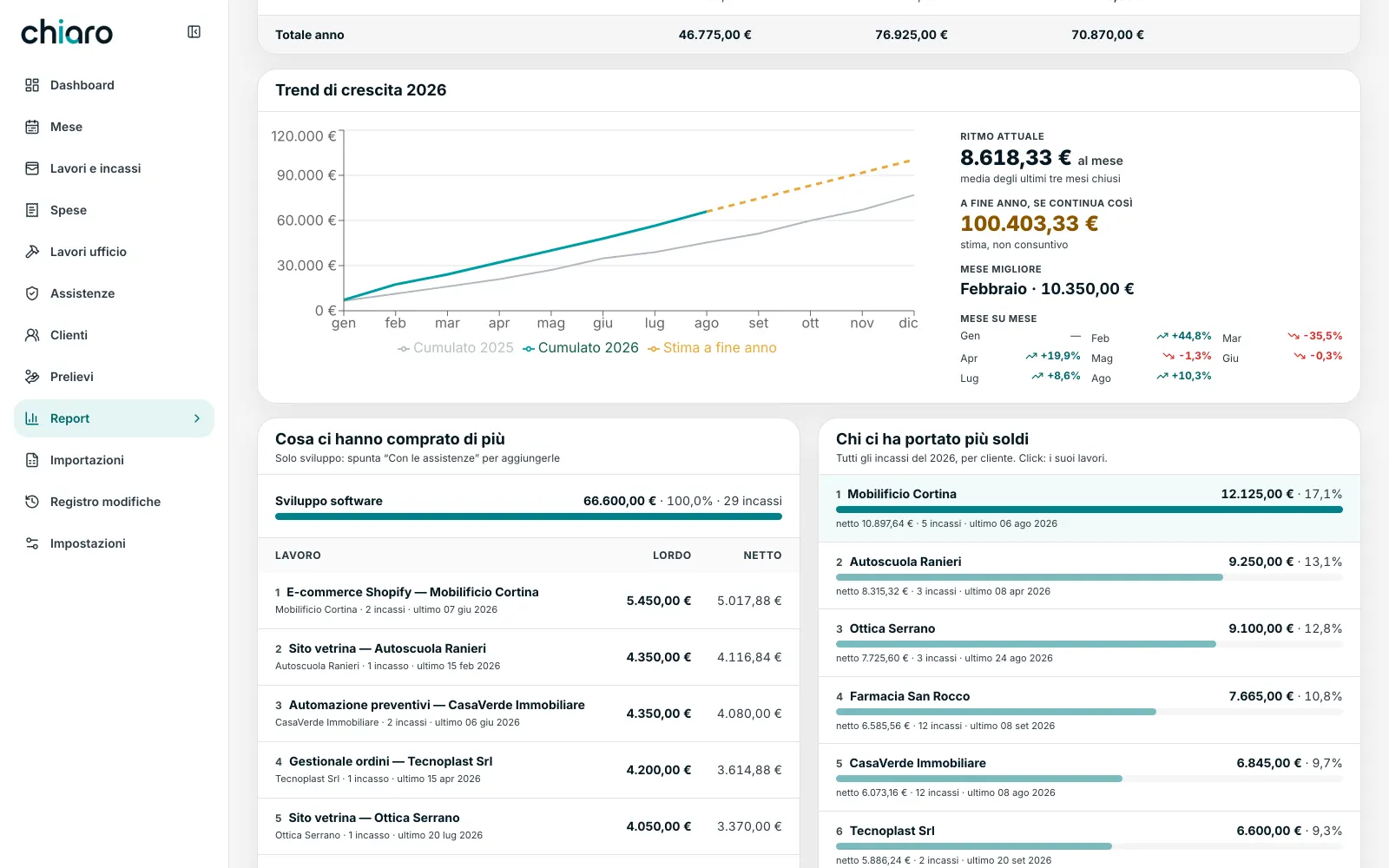
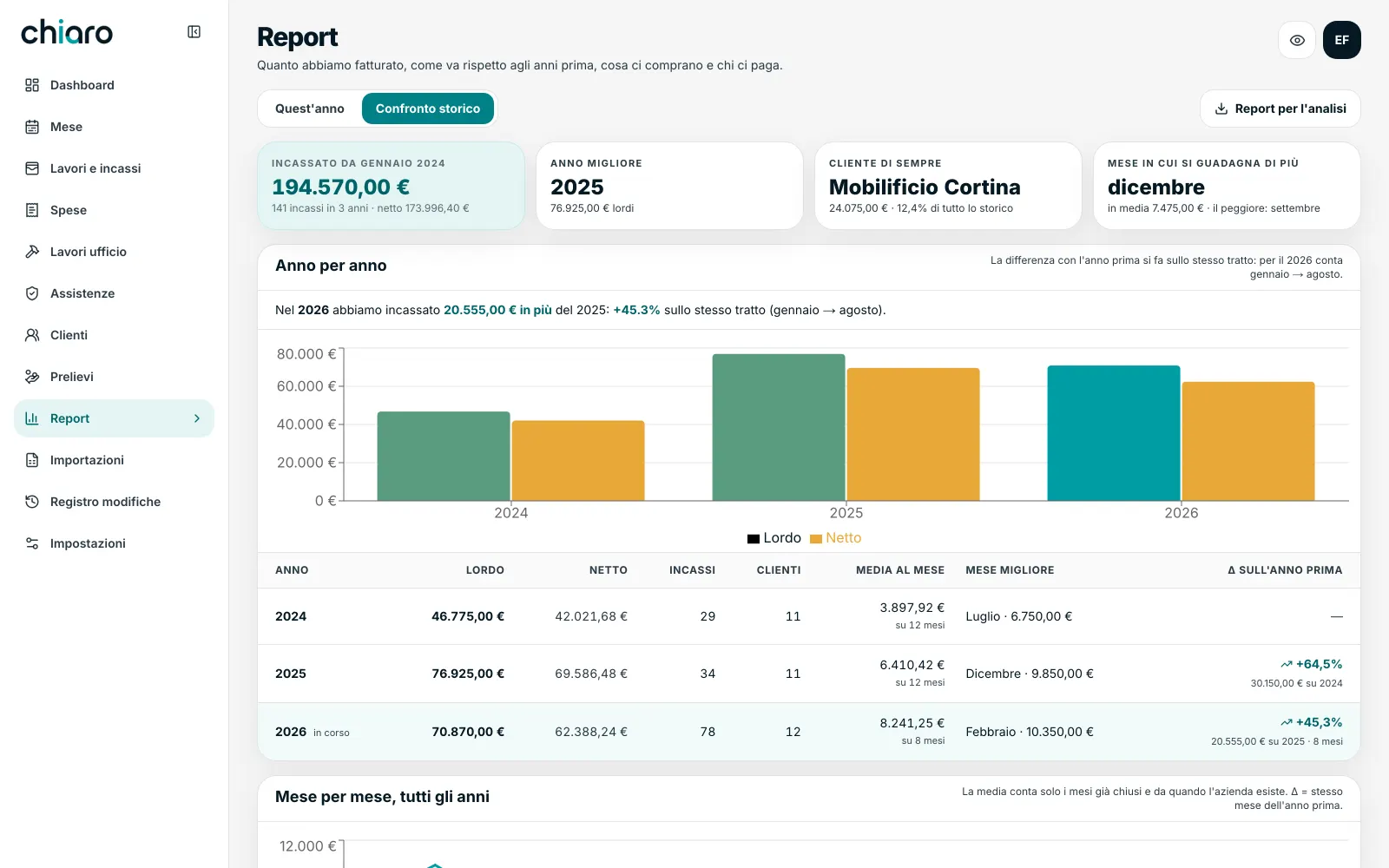
Two tabs. This year: month by month against previous years, current pace, best month, what people bought most, who brought in the most money. Historical comparison: year by year, seasonality, your long-standing clients.
The year-end estimate is dashed and in gold, and is never added to the actuals. Any two years are always compared over the same stretch: January through the last closed month. The current month doesn't enter the averages.
See also Clients and Settings
Clients
One place, instead of three spreadsheets and a contact list.
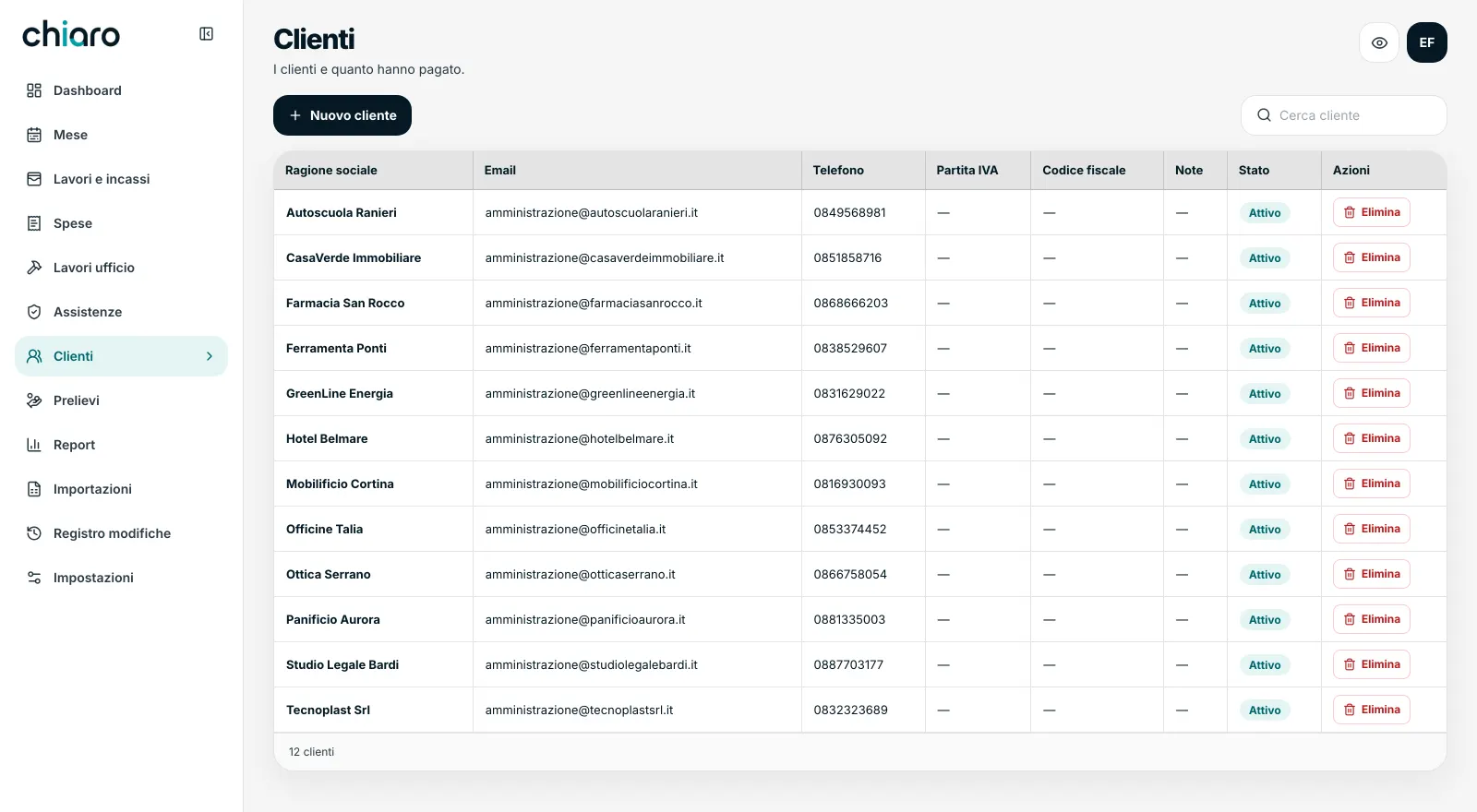
The client list, with how much each has paid. Editable inline, like everything else.
Settings
Agreements change over time without rewriting the past.
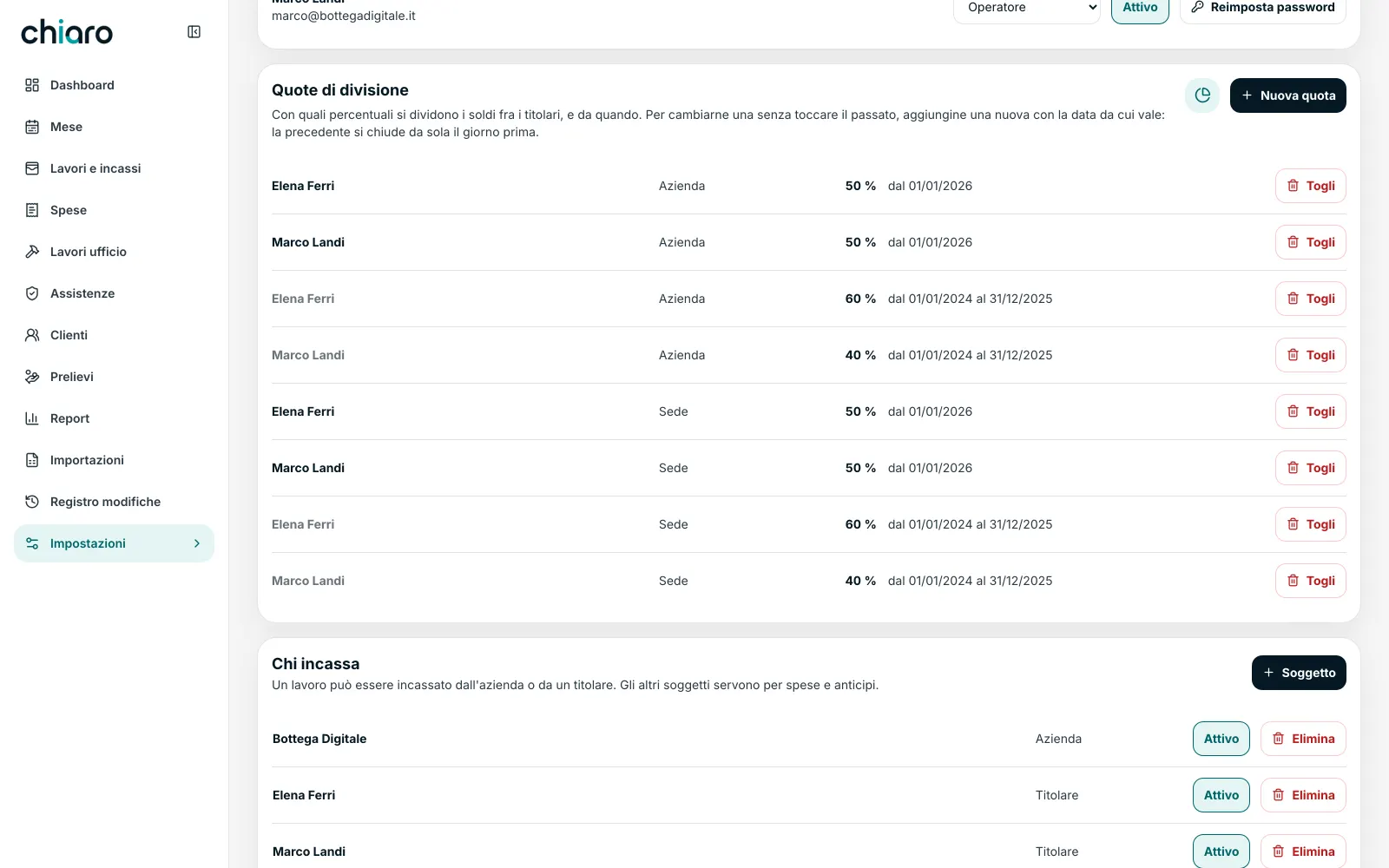
Users and permissions (administrator, operator, viewer). The split shares are kept as history: if you change the agreement, the old share closes and a new one starts. Periods already split are never rewritten.
the things others don't do
The value is in the details you don't see.
01
No figure has to be taken on trust.
Click a number and you see the lines behind it. Every figure is born from the entries the moment you look at it: there's no such thing as a total left behind after a correction.
02
History goes in, and doesn't go in half way.
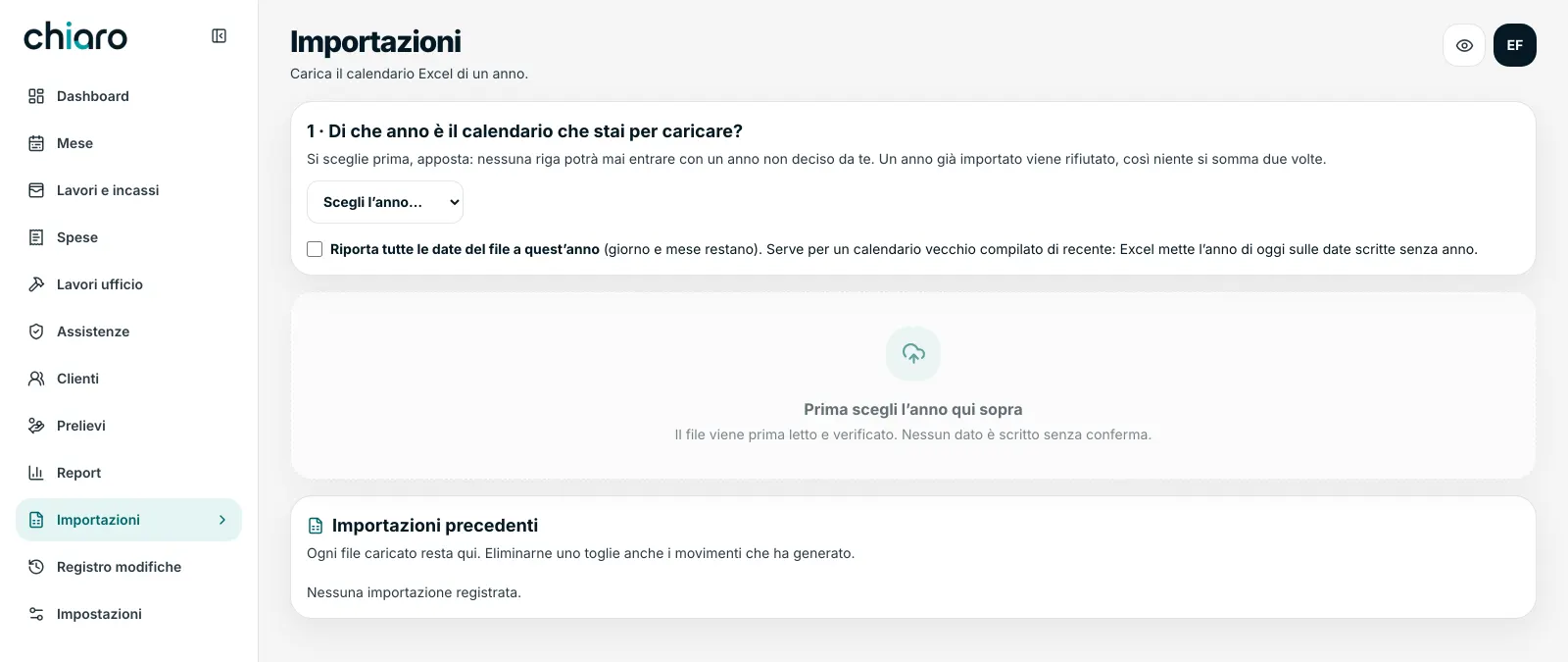
You upload one year's Excel calendar. Before writing anything, the software reads the file, reconciles it against the totals written in the sheet and shows you the differences. If a single number doesn't add up, it writes nothing. The same file uploaded twice is recognised and refused. Names that look alike, it asks you about: “is this the same client?” — it doesn't merge them on its own.
03
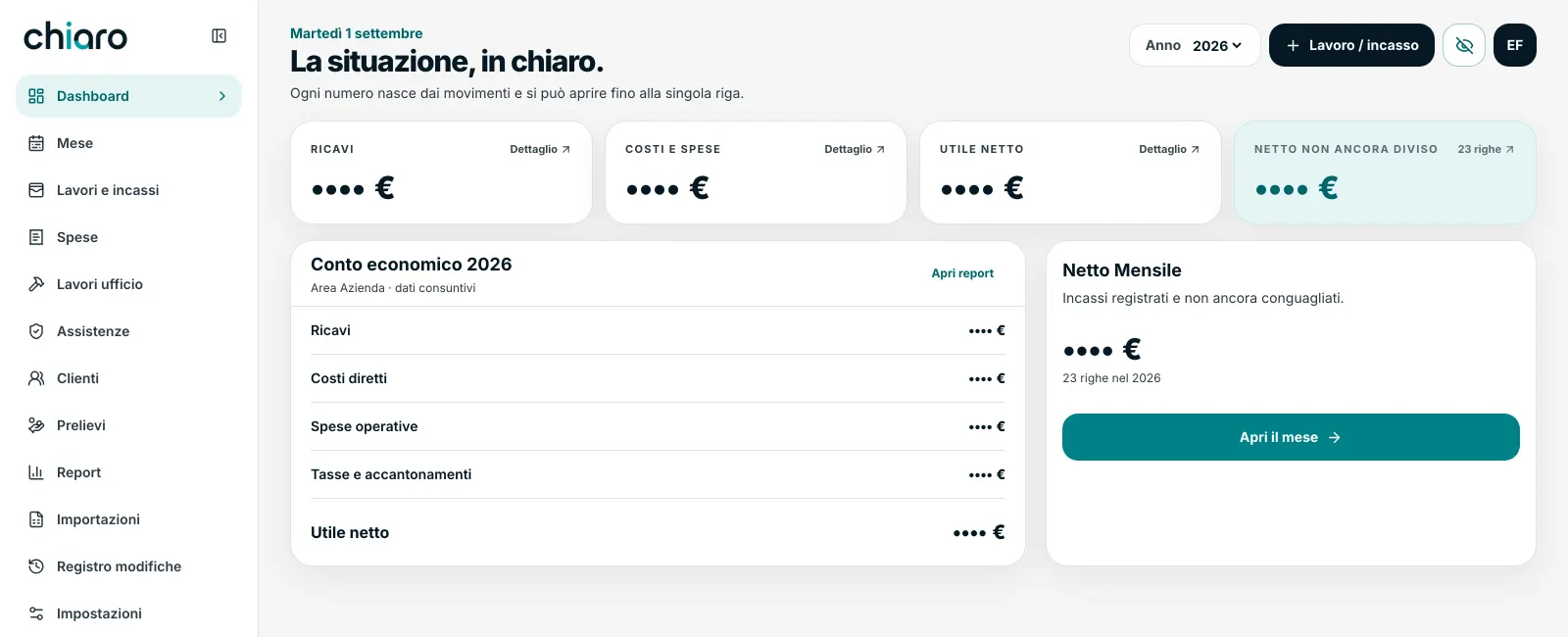
Figures hide with one click.
You're at a café, or sharing your screen in a meeting. Press the eye and every amount turns into •••• €. It isn't a blur — from a blur you can count the digits. The charts disappear entirely, because even a mute bar tells the story.
figures visibleeye pressed‹›
04
The report you hand to the AI.
One button downloads your whole position as a text file, with the right questions already written in. Paste it into ChatGPT or Claude and have it do the analysis. The file also carries the instructions for not getting the sums wrong — for instance, not adding estimates to actuals.
05
It works from your phone too.
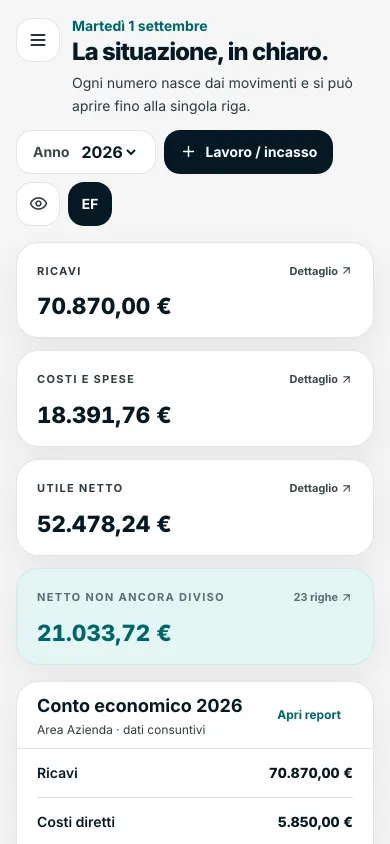
It isn't the site shrunk down: below a certain width the tables become one figure per row, the fields are big enough that you don't have to zoom, the menu closes itself. A quick check happens standing up, not at your desk.
These are the things you notice by using it. The shortest way is to see it.
It's your money. The least we can do is treat it well.
Everyone sees what they need. Three roles: administrator, operator, viewer. If a partner doesn't fancy using it, they sign in as a viewer and see the same numbers without being able to touch anything.
Encrypted backup every night, kept for ninety days.
Nothing is really deleted. Deletions stay in the log, with author and date.
No proper names inside the software. The brand, the company name and the owners are data in your installation, not lines of code.
how it starts
From your spreadsheet. Not from scratch.
You tell us how you split things today.
Shares, who takes the money, what belongs to the office and what to the company. Half an hour, not a questionnaire.
We bring your history in.
This year's calendar and, if you have them, those of previous years. Every line is reconciled before being written: if the totals don't add up, nothing goes in.
We set the first period.
From that day the counting starts; everything before it stays as history already settled.
From there it's yours.
Year-on-year comparisons, seasonality and client rankings appear on their own, as the data builds up.
frequently asked questions
The doubts of people who split the books two ways.
How much does Chiaro cost?
We work to a custom quote, because every business splits things differently. We start with a free consultation where we look at how you keep your books today, then you get an offer with the cost fixed up front. You can start from the essentials — jobs, payments, the month — and grow the rest over time.
Does it work if there are three of us? And if I'm on my own?
Yes. Shares are set owner by owner and have to add up to 100: if they don't, the software tells you, instead of quietly giving the difference away. On your own it still works, but half the value of Chiaro is telling each person what they're owed: alone, you need it less.
Does it replace e-invoicing or my accountant?
No, and it doesn't try to. Chiaro records whether an invoice was issued and when, but it doesn't issue it. It's financial control: what came in, what went out, what's left and to whom. Your accountant carries on doing their job, with tidier numbers.
Can I bring past years in?
Yes. We read one year's Excel calendar and check it against the totals written in the file: if a number doesn't match, we write nothing. We map your file's layout during setup: that's part of the job, not your homework.
Who owns the software?
You do. Nothing ties you to us to keep using it. We hand over the work and, if you want, we stay alongside you to grow it.
Where is the data kept?
On a database dedicated to your company, with an encrypted connection, roles and permissions, and an encrypted backup every night. The software contains no proper names: your installation is yours.
How long does it take you today to know what you're owed?
Tell us how you keep your books right now. We'll show you Chiaro on the numbers of a business like yours, and in half an hour we'll tell you whether it makes sense for you.